
Baby Zone for Toddler & Parent
VRSeedsParenting
4.5259.00 Reviews
- Version
- 1.56
- Installs
- 100.00K
- Age Rating
- Everyone
Screenshots
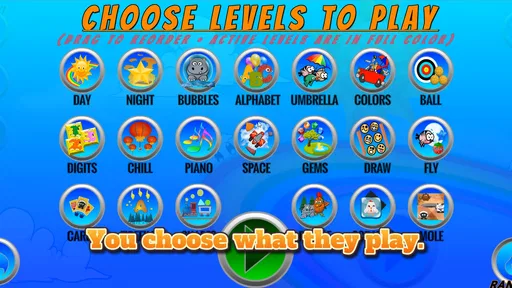
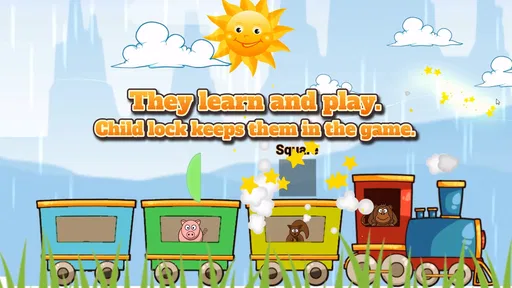
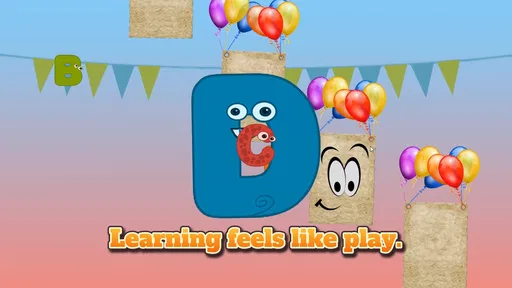
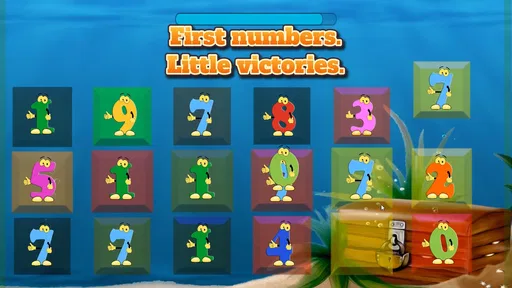
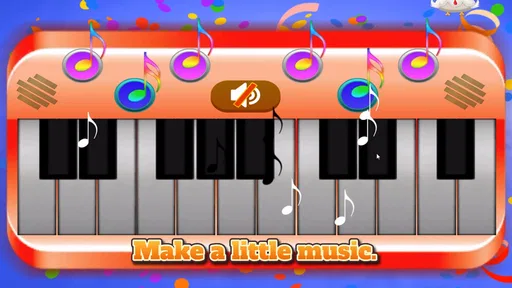
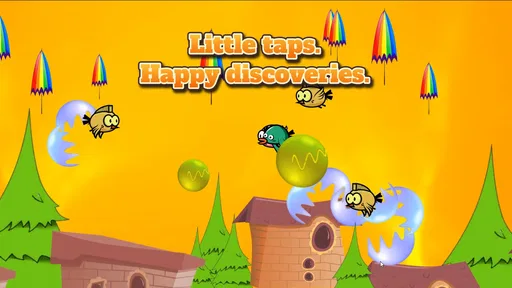
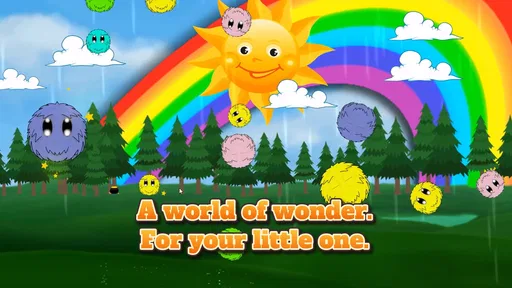
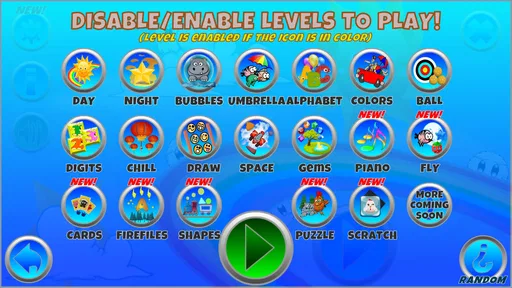
Our Review of Baby Zone for Toddler & Parent
 Analysis by Appyee
Keeping a toddler occupied for a few quiet minutes is sometimes less about finding a complicated game and more about creating a safe, simple activity that does not immediately turn into a call, message, or accidental tap. Baby Zone for Toddler & Parent takes that practical problem as its starting point. It is a free parenting app from VRSeeds that turns a phone into a restricted play space, with activities aimed at coordination, early learning, and simple entertainment.
I approached it as a parent would: not by asking whether it can replace a full educational program, but whether it makes a phone less stressful to hand to a young child. That distinction matters. The app is not trying to be a complete preschool curriculum or a sophisticated game. Its appeal is the combination of a child-friendly activity area and a basic attempt to keep toddlers from wandering into the rest of the device.
It has built a solid audience, with more than one hundred thousand installs and an average rating of 4.5 from roughly 1.2 thousand ratings. Those figures suggest that the straightforward idea connects with families, although they should not be mistaken for proof that every child will enjoy the same activities. Toddlers differ dramatically in attention span, motor control, and tolerance for repetition.
How Baby Zone feels in everyday use
The first thing I noticed about this parenting app is that its value depends on the situation. If I want a child to explore a phone independently while I prepare food, answer a quick work message, or settle another child, a contained activity is more useful than handing over the entire home screen. The app’s central purpose is therefore practical: reduce accidental exits and give the child something immediate to touch, watch, and learn from.
That makes it different from ordinary children’s games. A typical game assumes that the child can understand menus, choose a level, and follow a goal. Baby Zone is better suited to a younger user who responds to movement, color, sounds, and direct interaction rather than rules. The experience is closer to a digital activity board than a conventional game with progression.
I would still treat the lock function as a convenience, not as a substitute for supervision. A toddler may press physical buttons, pull at the phone, change the volume, or become frustrated when the expected response does not happen. The app can create a more controlled screen session, but it cannot make the device physically childproof. A protective case and an adult nearby remain sensible, especially with a child who is still exploring by throwing or chewing objects.
The app is listed for Everyone, which fits its broad family focus. In practice, the best match is a young child who can tap, drag, or follow a visual response but does not need advanced reading. Older children may find the activities too basic, while babies who are not yet intentionally touching the screen may get little from them beyond visual stimulation.
Why the simple design can be useful
One advantage of a limited interface is that it reduces the number of decisions a child has to make. Instead of presenting a large library, complicated settings, or competitive rewards, the app can be used as a short, guided distraction. For a parent, that means less time explaining what to press and less chance that the child will reach unrelated content.
I found this particularly relevant during transitions. A toddler who is waiting for a meal, sitting in a stroller, or recovering from a difficult moment often does not need a long session. A brief activity with an obvious cause-and-effect response can be enough to bridge the gap. The important word is brief: the app works best as a tool for a specific moment, not as an all-day digital babysitter.
Another useful point is that coordination practice does not have to look like formal learning. Reaching toward an object, tapping a moving element, or repeating a simple action can help a child connect what the eyes see with what the hands do. That does not make every interaction educational in a measurable academic sense, but it can make screen time more active than passively watching a video.
A realistic parent routine
Imagine preparing breakfast while a toddler is already awake and impatient. I would set up the phone before starting, open the activity, check that the child-facing screen is ready, and place the device where it can be seen without being within easy throwing distance. The child gets a focused activity instead of access to the phone’s full interface, while I keep the session short and remain close enough to intervene.
The preparation step is worth emphasizing. I would not begin by handing over an unlocked phone and hoping the app takes over. I would also lower expectations about duration. If the child loses interest after a few minutes, that is not necessarily a failure; toddlers often use these activities in short bursts. The app is most helpful when it solves a narrow problem, such as buying time to finish one task, rather than promising uninterrupted quiet.
A less obvious benefit is that the same activity can become a shared prompt. I can name colors, describe movements, or ask the child to find a particular object while sitting beside them. Used this way, the app becomes a starting point for conversation and turn-taking instead of an isolated screen. That approach also helps me notice whether the child is actually engaging with the activity or merely staring at it.
Current version, evolution, and what it means for families
The current version is 1.56, and the app was released on October 19, 2017. That history gives Baby Zone a different character from a brand-new parenting product: its basic concept has had time to remain available to families, but parents should judge it by how well the present experience fits their child rather than by its age alone.
From a user’s perspective, a version number is useful mainly when it translates into day-to-day reliability and compatibility. The listed minimum operating system is Android 7.0, so families using an older device should check compatibility before planning around it. On a supported phone, I would still test the app myself first, especially if the device is shared with adults or contains sensitive notifications and accounts.
The version history also shapes my expectations. I would not choose this app assuming it will evolve like a large, constantly expanding children’s platform with a deep stream of new lessons. Its strength is the focused idea: a toddler zone with playful, developmental interaction. That focus can be reassuring for a parent who wants less clutter, but it may feel limiting to a family looking for a broad sequence of subjects or a large supply of fresh challenges.
For someone who already uses it, the main question is not whether the app has a long feature list. It is whether the current build still performs its central job without creating new friction. Existing users should pay attention to how easily they can start a session, whether their child understands the interactions, and whether the lock behavior suits the particular phone. Those practical details matter more than a new visual theme when the app is being used during a rushed moment.
What the free model really means
Baby Zone is free to download, which makes it easy to test without committing money up front. It also includes in-app purchases ranging from $0.99 to $4.16 per item. I would therefore treat the free entry point as an opportunity to evaluate the core experience, not as a guarantee that every available element will remain outside the paid model.
My advice is to explore the app before letting a toddler use it alone. I would identify which activities are available, check where purchase prompts appear, and make sure the device’s purchase controls are protected. A child who taps enthusiastically should not be the person discovering how the payment flow works. This is a small preparation step, but it is one of the most important practical differences between testing an app yourself and handing it directly to a young child.
The purchase range is also a trade-off when compared with completely offline toys. A wooden puzzle has no upgrade prompt, no battery concern, and no accidental purchase risk. On the other hand, a phone-based activity is portable and immediately available, which can be valuable when a parent is away from home. I see Baby Zone as complementary to physical play, not as a replacement for it.
Where it compares well with videos and larger learning apps
Compared with a video app, Baby Zone offers more direct participation. The child has to touch the screen and respond, rather than simply watching a sequence continue. That can make the session feel more active and may be better for a short coordination exercise. The trade-off is variety: video platforms can offer a much larger range of stories, songs, and personalities, although they also bring more distractions and a greater need for parental filtering.
Compared with a full preschool learning suite, Baby Zone is less ambitious. A larger educational app may provide structured lessons, progress tracking, multiple subjects, and activities that grow with the child. That is the better choice if I want a planned learning routine or detailed feedback. Baby Zone is the better fit when my priority is a simple, toddler-level activity area that can be opened quickly.
Compared with a dedicated child tablet, the app is cheaper and more convenient if I already own a compatible phone. A dedicated device may offer stronger parental controls, a more durable body, and a cleaner separation between adult and child content. Baby Zone cannot solve the broader problem of sharing a personal phone. If the device contains work notifications, banking apps, private messages, or fragile hardware, a separate child device may be the wiser option.
Three practical ways to get more from it
First, I would use it as a transition tool rather than a reward that is always available. Opening it at predictable moments, such as waiting for an appointment or finishing a short household task, gives the activity a clear purpose. Ending the session before the child is overtired is usually easier than trying to remove the phone after a long, escalating session.
Second, I would pair screen interaction with a real-world object. If the app encourages tapping, I might follow it with stacking cups, a soft ball, or a simple shape toy. This creates a bridge from digital coordination to physical movement and prevents the phone from becoming the only form of play offered in that moment.
Third, I would test the locking behavior with the exact device and case the child will use. Buttons, gestures, screen edges, and notification behavior vary between phones. A setup that seems secure on one device may be awkward on another. Doing this test while calm is far better than discovering a problem when the toddler is already upset and the parent is busy.
Remaining gaps and who should choose something else
The biggest limitation is the narrowness that makes the app approachable. A child who quickly masters the interactions may need more variety, richer stories, or activities that require planning. Parents seeking visible progress in letters, numbers, language, or problem-solving should look toward a more structured educational product. Baby Zone can support early engagement, but I would not use it as evidence that a child has mastered a particular skill.
I would also skip it if my main requirement is detailed parental reporting. Families sometimes want a dashboard showing what a child played, how long they played, or which skills need practice. That kind of tracking belongs to a different class of app. Here, the useful outcome is immediate containment and interaction, not a long-term record.
It may not suit a child who becomes especially distressed when a screen session ends. In that case, the locking feature can make the transition feel more abrupt if the parent has not planned an ending. A physical activity with a natural stopping point, such as a short puzzle or picture book, may be easier. The app is also a poor choice when the phone must remain available for an urgent call or when the child is likely to handle it roughly.
Another gap is that digital coordination is still digital. Touching a screen does not provide the same resistance, depth, texture, or whole-body movement as blocks, crayons, play dough, or outdoor play. I appreciate the app more when it occupies a small place in a varied routine. I would be uncomfortable using it as the default answer whenever a toddler is bored.
What I would watch before making it part of a routine
I would watch how quickly my child understands the activities, how long interest lasts, and whether the interaction encourages active tapping or passive staring. I would also watch my own behavior: am I using the app for a clearly defined pause, or reaching for it automatically whenever the child makes noise? The answer tells me more about whether it belongs in the routine than the novelty of the first session.
For current users, I would keep an eye on compatibility as phones and operating systems change. The listed minimum of Android 7.0 is helpful when checking an older device, but the real test is still the phone in the household. I would update carefully, revisit purchase protection after changes, and confirm that the child-facing setup remains as easy to start as before.
I would also watch whether the app continues to feel appropriately simple for my child. Simplicity is an advantage at the beginning, but children can outgrow it. When that happens, moving to a richer learning app or returning to physical play is not a criticism of Baby Zone; it is simply the right adjustment for a changing developmental stage.
My recommendation for parents
After looking at its purpose, audience, and trade-offs, I see Baby Zone for Toddler & Parent as a useful small tool rather than a complete childcare solution. Its best quality is the way it combines a toddler-oriented activity with a more controlled phone experience. That can make an ordinary, rushed moment easier without pretending to replace a parent, a toy box, or a proper learning plan.
I would recommend trying it if you have a compatible Android phone, want a free starting point, and need short, supervised activities for a young child. I would set up purchase protections, test the lock behavior, and use it alongside physical play. I would choose another option if I needed detailed progress tracking, a large curriculum, robust device separation, or a screen-free solution.
VRSeeds has kept the idea focused: give toddlers something simple to do while helping parents avoid the hazards of an unrestricted phone. The current release and long availability make it worth testing, but the final judgment should come from your child’s response and your household’s screen habits. Used deliberately, it can be a convenient bridge through a difficult few minutes. Used as a permanent substitute for interaction, it falls short.
Verdict
Strengths of Baby Zone for Toddler & Parent
- Simple activities help toddlers practice colors, shapes, numbers, and early vocabulary.
- Parent-friendly design makes it easy to choose activities suited to a child's age.
- Bright visuals and gentle sounds can keep young children engaged during short sessions.
- Works well for quiet play at home or while traveling.
- Activities encourage shared play and conversation between children and parents.
Limitations of Baby Zone for Toddler & Parent
- Some content may feel too basic for older preschoolers or advanced learners.
- Repeated activities can become predictable after frequent use.
- Certain features or learning packs may require in-app purchases.
- Sound effects may be distracting in quiet environments without careful volume control.
- The app may offer limited value when used without parent interaction.
Similar Picks in This Category
View All
Family Space
Motorola Mobility LLC.3.9

شرطة الأطفال - مكالمة وهمية
Oub Apps4.1

Findmykids: Parental Control
LETEM LTD4.6

Pregnancy + | Tracker App
Philips Electronics UK Limited4.8

Policía de niños - para padres
Kids police4.7

Pregnancy App
Amila4.9
Frequently Asked Questions
What is Baby Zone for Toddler & Parent, and who is it designed for?
Baby Zone for Toddler & Parent is a family-focused app intended to support parents and young children with age-appropriate activities, learning content, and everyday engagement. It is mainly designed for toddlers and their caregivers, although the exact usefulness may depend on the child’s age, interests, and developmental stage. Parents should review the available content before allowing independent use.
Is Baby Zone for Toddler & Parent safe for toddlers to use?
The app is designed with families and young children in mind, but parents should still supervise toddlers while they use it. No app can replace active parental guidance, especially when children interact with screens or online features. Before downloading, check the current privacy policy, permissions, advertisements, in-app purchases, and parental-control options available on your Android or iOS device.
Does Baby Zone for Toddler & Parent require an internet connection?
Some functions of Baby Zone for Toddler & Parent may work without a constant connection, while other content or features could require internet access for loading, updating, or synchronizing information. Availability can also vary between Android and iOS versions. Parents who plan to use the app while traveling should test the desired features offline first and confirm whether downloads consume significant mobile data.
Is Baby Zone for Toddler & Parent free to download and use?
The app’s download model and available features may vary according to the platform, region, and version installed. Even when the initial download is free, certain content or tools may include optional in-app purchases, subscriptions, or advertising. Parents should carefully read the store listing and purchase details before downloading, and enable device-level restrictions to prevent accidental purchases by children.
What should parents check before downloading Baby Zone for Toddler & Parent?
Before installing Baby Zone for Toddler & Parent, parents should confirm that the app supports their device, matches their child’s age, and provides content they consider appropriate. It is also worth checking recent user reviews, update history, required permissions, privacy practices, screen-time suitability, and whether parental controls are available. These checks help families decide whether the app fits their household and parenting approach.
